Kisi Reader Stand
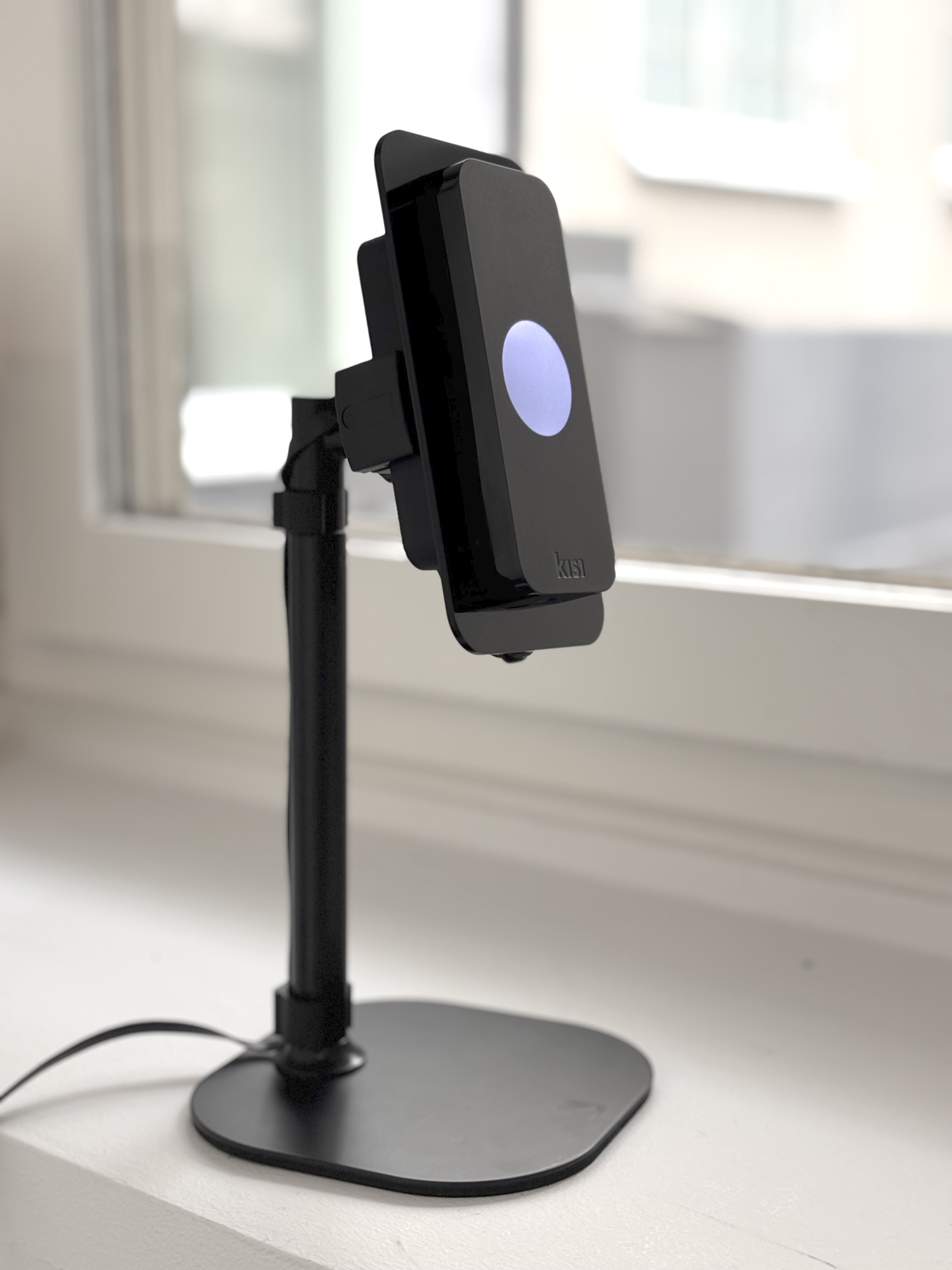
Kisi Reader Pro Mounted
Minimum Height: 9” (24 cm)
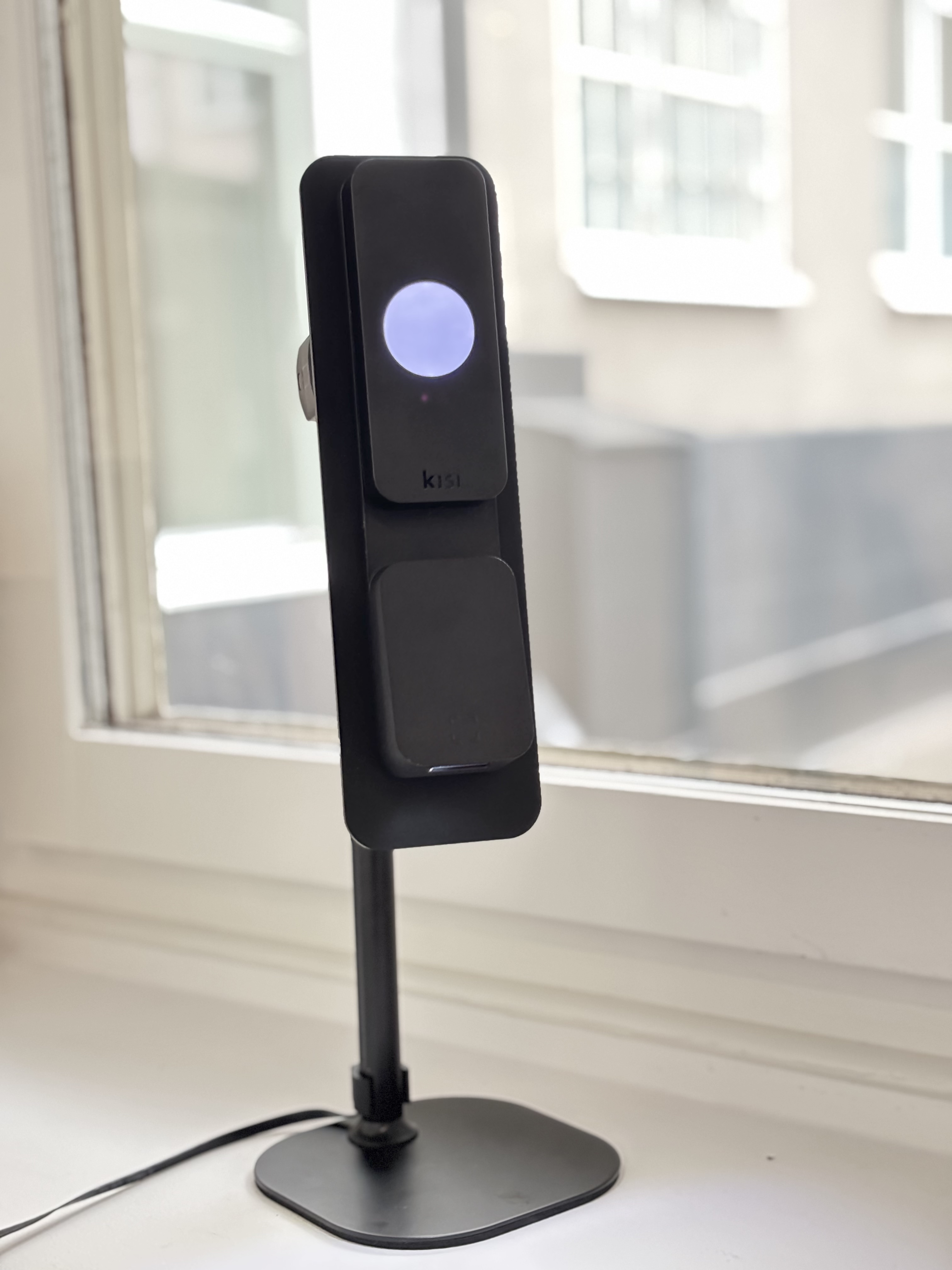
Kisi Terminal Pro Mounted
Maximum Height: 14” (36 cm)
The Kisi Reader Stand is ideal for check-in front desk applications or Kisi demonstration purposes. It is designed to securely hold a Kisi Reader Pro or Kisi Terminal Pro and arrives pre-wired with an Ethernet cable and a custom display adapter.
info
Kisi Reader Pro and Kisi Terminal Pro are not included with the Kisi Product Stand and must be purchased separately.
Assembly instructions
Assembling the Kisi product stand is straightforward and requires no special tools beyond what’s included in the package. Follow the steps below to set up your stand.
Unpack the components
Inside the box, you should find:
- Mobile stand (x1)
- Kisi display adapter (x1)
- Cable clip H (x1)
- Cable clip L (x1)
- 1-meter black Cat6 cable (x1)
- Female-to-female RJ45 coupler (x1)
- Screws (x2)
Mount the reader into the display adapter
- Route the reader’s pigtail RJ45 jack through the precisely shaped hole in the Kisi display adapter.
- Push the jack into the hole until it sits snugly and flush. The shape of the hole holds the jack in the correct orientation for later cable connection.
- Place the reader’s backplate behind the display adapter.
- Align the reader’s mounting frame on the backplate so that the screw holes from the backplate and display adapter remain visible and accessible.
- Insert the two screws through the aligned holes in this order:
- Backplate
- Mounting frame
- Kisi display adapter
- Use a 9.5 mm Allen key to securely tighten the screws.
- Ensure everything is flush and stable.
Assemble the product stand
- Align the threaded end of the rod with the hole in the base.
- Use the provided screw and wrench to secure the rod firmly to the base.
- Attach the display adapter holder onto the vertical pole of the stand and ensure it is mounted securely.
- Feed the Cat6 cable along the backside of the vertical stand, starting from the top (where the display adapter will be) toward the base.
- Use cable clip H near the top of the stand to secure the cable.
- Use cable clip L near the bottom of the stand or on the base to hold the cable in place.
- Leave enough cable length free at the top to reach the reader’s RJ45 pigtail jack.
- Attach the display adapter with the reader to the holder, and plug in the Cat6 RJ45 connector to the reader’s pigtail RJ45 jack.
- Use the RJ45 female-to-female coupler to connect the reader to the local network via PoE.
Final checks
- Confirm the following:
- All screws are fully tightened.
- The RJ45 jack is correctly aligned and connected.
- The Cat6 cable is firmly routed and clipped.
- The coupler connection is secure.
- The reader powers on via PoE and functions correctly.